

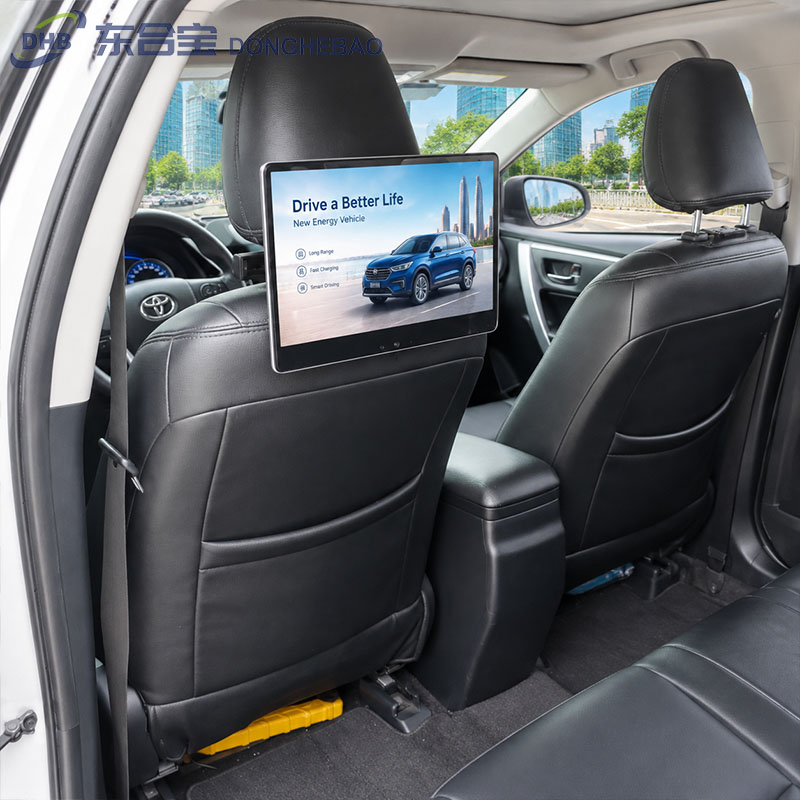
How to Install the DHB Taxi Seat Back Screen Universal Bracket
The DHB universal bracket is designed to securely mount a Taxi Seat Back Screen to the front seat headrest. It provides a practical installation solution for different vehicle models and helps keep the display stable during daily taxi operation.
Follow the steps below to complete the installation.
Step 1: Remove the Accessories
Take the universal bracket, screws, PVC protection pieces, and other installation accessories out of the package.
Before installation, check that all required accessories are included and that the bracket and screws are not damaged.
Step 2: Prepare the Universal Bracket
Unfold the universal bracket and remove the screws as shown in the installation instructions.
Adjust the bracket to the appropriate position according to the spacing of the vehicle’s headrest rods.
Step 3: Install the Bracket
Position the universal bracket onto the metal headrest rods and secure it firmly with the screws.
Make sure the bracket is correctly aligned and tightly fixed before installing the display.
The bracket should remain stable without excessive movement after tightening the screws.
Step 4: Route the Power Cable
Route the power cable through the inside of the vehicle seat.
Keep the cable properly secured and avoid placing it where it could interfere with:
- Seat adjustment
- Headrest movement
- Passenger seating
- Other vehicle components
A properly routed power cable also provides a cleaner installation appearance.
Step 5: Install the Display
Insert the DHB Taxi Seat Back Screen into the universal bracket.
Adjust the screen to the desired viewing position and lock the bracket securely.
Check that the display is firmly installed and does not move easily when gently pushed.
Step 6: Apply the Bracket PVC Protection
Attach the supplied PVC protection piece to the bracket lock area.
The PVC piece helps protect the bracket locking area and provides a cleaner, more professional appearance.
Step 7: Apply the Side Interface PVC
Attach the dedicated PVC protection piece to the interface area on the side of the display.
This helps protect the connectors and provides a cleaner finished installation.
Installation Check
After installing the Taxi Seat Back Screen, perform a final inspection before using the vehicle.
Check the following:
- The universal bracket is firmly fixed to the headrest rods.
- All screws are properly tightened.
- The display is securely locked into the bracket.
- The screen is positioned correctly for rear-seat passengers.
- The power cable is safely routed inside the seat.
- The cable does not interfere with seat adjustment.
- All PVC protection pieces are properly attached.
- The power connector is firmly connected.
A final inspection helps ensure stable operation and reduces the risk of loose components during long-term taxi use.
Installation Summary
Remove accessories → Unfold bracket → Install bracket on headrest rods → Route power cable → Mount and lock the screen → Apply bracket PVC → Apply side interface PVC → Complete final inspection
The DHB universal bracket provides a simple and practical way to install a Taxi Seat Back Screen in different vehicle applications. Proper installation not only improves the appearance of the installation but also helps ensure reliable operation during daily taxi service.
FAQ
Can the universal bracket fit different vehicle models?
Yes. DHB’s universal bracket is designed to support installation on a wide range of vehicle headrest structures. Vehicle compatibility should be confirmed before installation.
Can the power cable be routed inside the seat?
Yes. The power cable can be routed inside the seat to achieve a cleaner and safer installation.
What should I check after installation?
Make sure the bracket is firmly locked, the screen is stable, and the power cable does not interfere with seat movement or passenger use.
Does DHB provide customized mounting brackets?
Yes. DHB can provide universal and vehicle-specific mounting solutions according to different taxi models and installation requirements.
Contact DHB
Need Help Installing a Taxi Seat Back Screen?
DHB provides professional Taxi Seat Back Screen, mounting brackets, vehicle-specific installation solutions, and OEM & ODM services for global taxi advertising projects.
WhatsApp: +8613422871594
Email: kiki@donghebao.com
Contact Us: DHB Technical Team
DHB — Professional Taxi Advertising Display Manufacturer.