

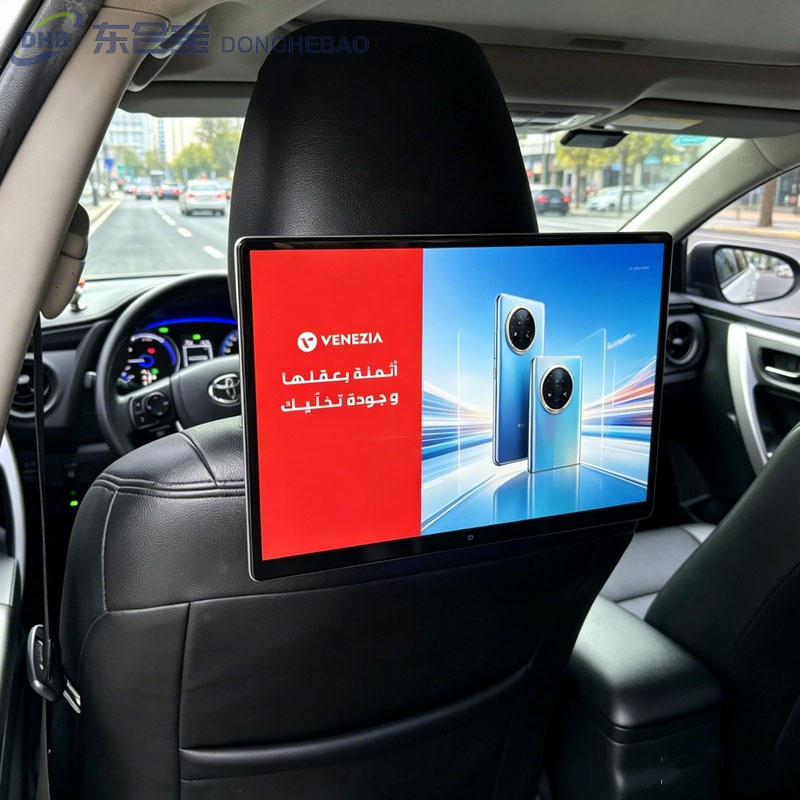
Human Presence Detection on DHB Taxi Advertising Screen
The Taxi Car Seat Android LCD Advertising Screen Player can be equipped with a human presence detection function to identify whether a passenger is sitting in the rear seat.
This function is useful for taxi advertising applications because the display can respond differently depending on whether a passenger is present.
For example, the system can:
- Detect whether a passenger is in the rear seat
- Count passenger occupancy
- Play specific advertisements when a passenger is detected
- Enter standby mode when no passenger is detected
This helps improve advertising efficiency while reducing unnecessary screen operation.
How Does Human Presence Detection Work?
DHB taxi advertising displays can use a PIR (Passive Infrared) sensor to detect human presence.
When a passenger enters or sits in the detection area, the sensor can detect the change in infrared radiation and send a signal to the system.
Based on the configured software, the Taxi Car Seat Android LCD Advertising Screen Player can then perform different actions.
When a Passenger Is Present
The system can be configured to:
- Start or resume advertising playback
- Play specific advertising content
- Record passenger occupancy data
When No Passenger Is Present
The system can be configured to:
- Enter standby mode
- Stop or reduce unnecessary playback
- Wait for the next passenger detection
The actual functions and behavior can be customized according to the project requirements and CMS software.
How to Enable or Disable Human Presence Detection on DHB
The human presence detection function can be enabled or disabled through the factory settings.
Follow these steps:
Step 1: Open Settings
From the main interface, enter:
Settings
Step 2: Enter Factory Settings
Select:
Factory Settings
Step 3: Enter the Password
Enter the factory settings password:
147
Then click:
OK
Step 4: Find the Human Presence Detection Switch
After entering the factory settings menu, find:
Human Presence Detection
or the corresponding Human Sensor Switch option.
Click the switch to enable or disable the function according to your requirements.
Operation Path
Settings → Factory Settings → Password 147 → Human Presence Detection Switch
After changing the setting, it is recommended to return to the main interface and restart the device if required by the system to ensure the new setting takes effect.Taxi Car Seat Android LCD Advertising Screen Player
Why Is Human Presence Detection Useful for Taxi Advertising?
For taxi advertising operators, human presence detection can help connect passenger presence with advertising playback.
Instead of continuously playing advertisements regardless of whether the rear seat is occupied, the system can respond to actual passenger conditions.
This can provide several advantages:
Better advertising targeting
Specific advertising content can be triggered when a passenger is detected.
Reduced unnecessary operation
The display can enter standby mode when the rear seat is empty.
Passenger occupancy statistics
The sensor can be used as part of a system for recording passenger presence data.
Flexible advertising strategies
Different playback rules can be configured according to passenger detection, advertising campaigns, or CMS requirements. Taxi Car Seat Android LCD Advertising Screen Player
FAQ
1. What is the human presence detection function used for?
Taxi Car Seat Android LCD Advertising Screen Player,It is mainly used to detect whether a passenger is present. Depending on the software configuration, it can support passenger counting, targeted advertising playback, or standby mode.
2. How do I enable the function on a DHB display?
Go to:
Settings → Factory Settings → Password 147 → Human Presence Detection Switch
Then turn the function on or off.
3. Does every DHB taxi advertising display have this function?
Human presence detection is an optional feature and depends on the hardware configuration of the specific model.
4. Can the sensor trigger specific advertisements?
Yes. When supported by the software and CMS system, passenger detection can be used as a trigger for specific advertising content.
5. Can the display enter standby mode when nobody is sitting in the rear seat?
Yes. This function can be configured according to the project requirements and supported software.Taxi Car Seat Android LCD Advertising Screen Player
Contact DHB
Looking for a Smart Taxi Advertising Display?
DHB provides professional Taxi Car Seat Android LCD Advertising Screen Player solutions for taxi operators, advertising companies, and fleet management projects.
Our products can support optional features such as:
- Human presence detection
- PIR sensors
- 4G connectivity
- GPS positioning
- Ambient light sensors
- CMS remote management
- Android system customization
- OEM & ODM services
WhatsApp: +8613422871594
Email: kiki@donghebao.com
Contact Us: DHB Technical Team
DHB — Professional Taxi Advertising Display Manufacturer.Taxi Car Seat Android LCD Advertising Screen Player
Taxi Car Seat Android LCD Advertising Screen Player