

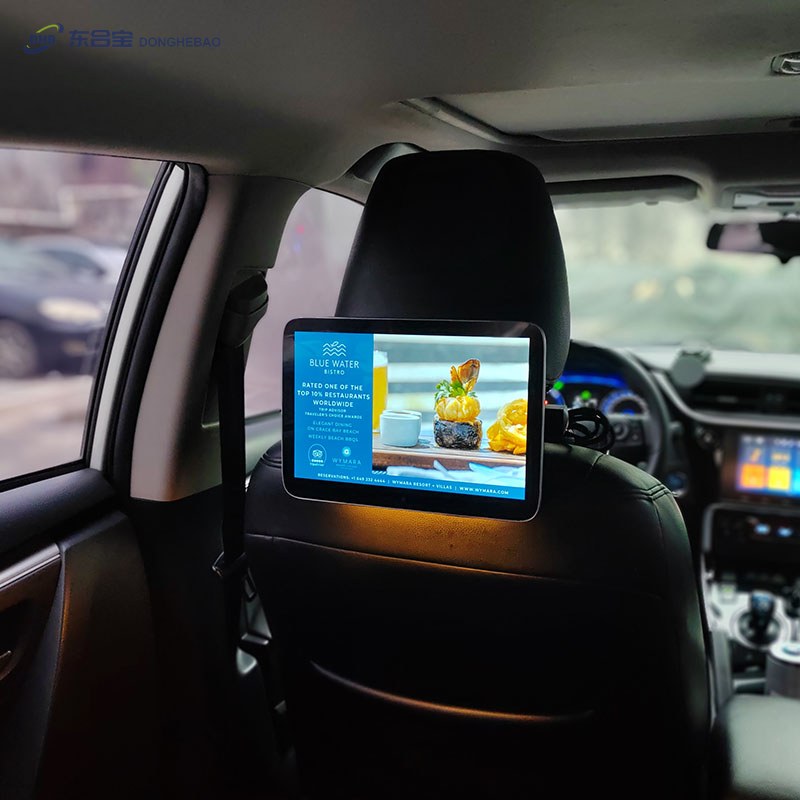
A taxi headrest advertising display is more than a screen bolted to a seat back. For fleet operators and advertising networks, the value lies in how much of the device can be tailored to a specific deployment. Boot branding, interface layout, startup behaviour and sensor options all affect how the unit performs in daily service. This guide walks through the customization and feature options available on DHB headrest displays, so buyers can specify a configuration that fits their CMS and their passengers.
Taxi Headrest Advertising Display: Customization and Features
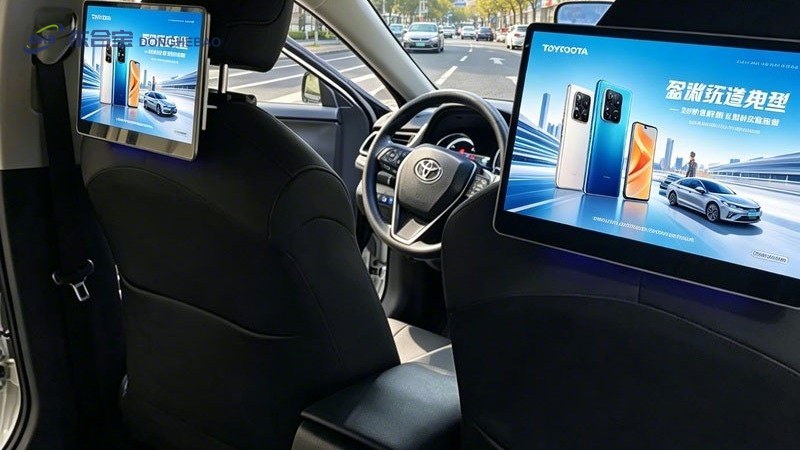
Taxi Headrest Advertising Display Hardware: RK3566 and SM6115
Different projects call for different levels of computing power. DHB offers two platform options: the RK3566 and the Qualcomm Snapdragon SM6115. The RK3566 is a practical choice for standard playback and CMS-driven advertising, while the SM6115 suits deployments that need more headroom for richer content or additional processing. Moreover, both platforms support the customization options described below, so buyers can choose the chipset first and then layer on the features their campaign requires. This flexibility matters because a fleet rarely runs identical content on every vehicle.
Branding From the First Second
Brand identity starts before the CMS interface appears. A taxi headrest advertising display can be configured with a custom boot logo, a custom boot animation and a custom UI. That means the moment a passenger sits down, the screen reflects the operator’s or advertiser’s visual language rather than a generic Android interface. For advertising networks selling inventory, this is a tangible part of the product: the device looks like part of the campaign. In addition, a tailored UI can simplify navigation for passengers and reduce confusion in a multi-language market.
Auto Start and Fast CMS Launch
One of the most requested features is automatic power-on behaviour. When the car engine starts, the taxi headrest advertising display can be set to boot automatically, so there is no manual step for the driver. Once powered, the unit launches the CMS with no noticeable delay, reaching the scheduled content quickly. As a result, advertising time is not lost at the beginning of each shift. For high-turnover fleets, this matters more than it first appears: dozens of short trips add up, and every avoided delay protects billable impressions. Ask your supplier to demonstrate the exact boot-to-play sequence on a sample unit.
Display and Navigation Control
In a public-facing taxi headrest advertising display, what passengers can see and touch must be controlled. The navigation bar can be hidden through settings, keeping the screen focused on content and preventing accidental exits from the playback app. This creates a clean, kiosk-like experience. Furthermore, combining a hidden navigation bar with a custom UI gives operators a consistent look across the entire fleet. If your campaign uses guided interaction, confirm that the supplier can lock the desired layout while still allowing authorized maintenance access for the technical team.
Optional Sensors: Light, Presence, Mic and Camera
The display can be extended with hardware that makes advertising smarter and more responsive. An ambient light sensor adjusts brightness to the vehicle environment, keeping content readable in daylight and comfortable at night. A human presence sensor detects whether a passenger is actually seated, which opens the door to presence-triggered playback and more accurate measurement. A microphone and camera can also be added for projects that require interaction or audience analytics, subject to local privacy rules. Therefore, discuss data handling and compliance before enabling these options. For wider context on in-vehicle advertising trends, see this industry overview of taxi advertising.
Planning a Pilot Before Fleet Rollout
Before committing to a full taxi headrest advertising display rollout, run a small pilot with a mixed set of routes. Fit units in a few vehicles, then watch how the boot sequence, brightness behaviour and CMS playback perform over several shifts. Collect feedback from drivers about startup and from passengers about legibility; both groups notice issues that a datasheet cannot reveal. A pilot also gives the technical team time to test the exact CMS integration and confirm that firmware settings, such as the hidden navigation bar, survive a power cycle. Use the results to finalize the configuration before placing the larger order. A taxi headrest advertising display that passes a real pilot is far less likely to generate field visits later.
CMS Adaptation and Technical Support
Every advertising network uses a different content management system. A capable supplier should provide technical support to adapt the unit to your CMS, including protocol integration and playback verification. DHB also publishes model and platform details that help buyers compare configurations. In conclusion, the right taxi headrest advertising display is not defined by the panel alone but by how well its boot behaviour, branding, sensors and CMS support fit your operation.
Contact DHB
If you need technical support, IoT SIM card compatibility information, or customized taxi Android headrest advertising display solutions, please contact DHB.
WhatsApp: +86 134 2287 1594
Email: kiki@donghebao.com
Contact Us: Contact DHB Taxi Ad | Get Taxi Advertising Displays Quote
Website: www.dhbtaxiad.com